CNC Tool Offsets Explained: Geometry vs Wear
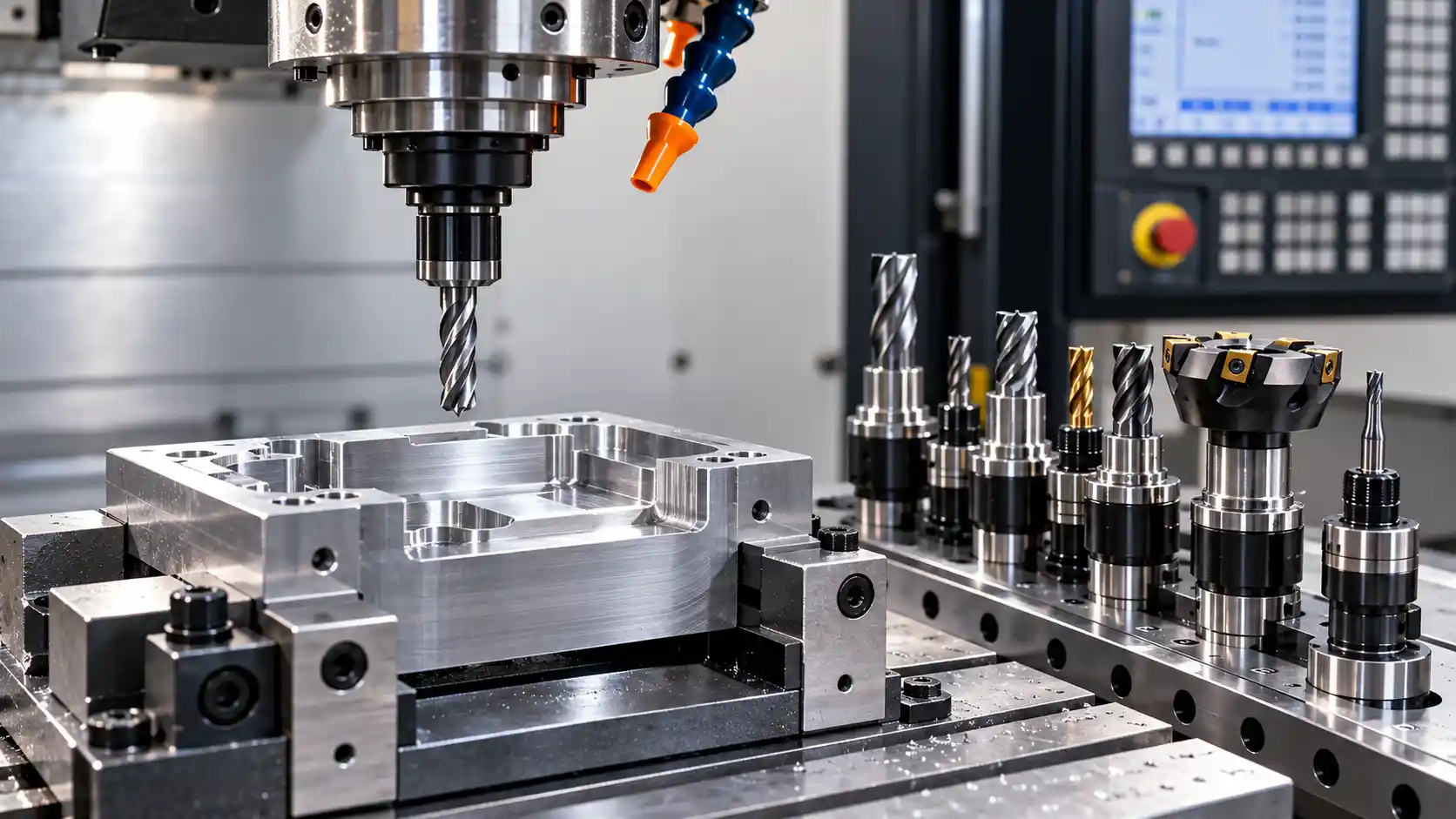
CNC tool offsets explained is an important topic for machinists who want to maintain dimensional accuracy, reduce machining errors, and achieve consistent production results. CNC machines follow programmed coordinates to control tool movement, but every cutting tool has physical dimensions that must be accounted for during machining. Tool offsets help the CNC control position the cutting edge correctly relative to the programmed path.
Two important types of CNC tool offsets are geometry offsets and wear offsets. Geometry offsets establish the baseline measurements of a cutting tool, while wear offsets allow small adjustments when inspection reveals a dimensional deviation. Understanding the difference helps CNC operators set up tools correctly, troubleshoot machining problems, and avoid unnecessary changes to CNC programs.
What Is a CNC Tool Offset?
A CNC tool offset is a value stored in the machine control that accounts for a cutting tool’s dimensions or an adjustment to its effective cutting position.
A CNC program specifies movements, coordinates, and machining operations. However, the control also needs information about the actual tool being used. A short end mill and a long end mill, for example, have different effective lengths. Similarly, milling cutters with different diameters require different relationships between the tool center and the finished contour.
Tool offsets help the control account for these differences without requiring the programmer to manually calculate every tool position from scratch.
Common types of tool compensation include:
- Geometry offsets: Record baseline tool measurements.
- Wear offsets: Apply small corrective adjustments when appropriate.
- Tool length compensation: Accounts for the effective length of a tool.
- Cutter radius compensation: Accounts for the cutter radius when following a programmed contour.
The exact arrangement depends on the CNC controller, machine configuration, and programming method.
What Are Tool Geometry Offsets?
Tool geometry offsets store the measured dimensions or reference positions associated with a cutting tool. These measurements provide the baseline information used by the CNC control during machining.
When an operator installs a new tool, its actual dimensions must be established using the machine’s approved measurement method. Nominal dimensions alone may not be sufficient because the effective length or cutting diameter can differ from the expected value.
Tool Length Geometry Offset
Tool length geometry describes the effective distance between a tool’s reference point and its cutting point, according to the machine’s measurement system.
This information is particularly important on CNC milling machines and machining centers that use multiple tools.
For example, consider two end mills measured from the same reference:
- Tool A has an effective length of 100 mm.
- Tool B has an effective length of 115 mm.
The 15 mm difference must be accounted for when the machine positions each cutting edge. Correct tool length compensation helps the control establish the intended tool position.
If the geometry value is incorrect, the cutting edge may not reach the required depth or may move farther into the workpiece than intended.
Cutter Radius and Diameter Information
The cutting diameter and radius influence the relationship between the tool centerline and the finished part contour.
For example, a milling cutter with a nominal diameter of 10 mm has a nominal radius of 5 mm. If the CNC control uses cutter radius compensation, it needs the appropriate compensation value to calculate the tool center’s position relative to the programmed contour.
Some machining programs use controller-side cutter compensation. Others use CAM-generated toolpaths that already account for the cutter dimensions.
Operators must confirm which approach the program uses before changing compensation settings.
Geometry Offsets for Different Tools
Different cutting tools require different geometry information.
| Tool type | Relevant geometry | Purpose |
|---|---|---|
| End mill | Effective length and cutter radius or diameter | Controls depth and contour positioning |
| Drill | Effective length and tool geometry | Supports accurate drilling positions |
| Face mill | Effective length and cutting diameter | Helps establish correct positioning and surface coverage |
| Turning tool | Cutting-edge position and orientation | Supports accurate turning coordinates |
| Boring tool | Effective cutting geometry and position | Helps control internal diameters |
The required data and register assignments vary by controller and tooling system.
What Are CNC Wear Offsets?
CNC wear offsets allow small adjustments to a tool’s established geometry or cutting position when measurements show that a correction is appropriate.
Cutting tools gradually change during machining. Friction, heat, cutting forces, workpiece material, and operating conditions can affect the cutting edge and the dimensions of finished components.
As a result, a part that initially meets its drawing dimensions may begin to drift outside the intended tolerance.
A suitable wear correction can help compensate for a small, measured deviation. However, the operator must first establish the cause of the problem.
Why Wear Offsets Matter
Wear offsets can provide several benefits:
- Dimensional correction: Small, verified deviations can sometimes be corrected without replacing the tool.
- Fewer unnecessary program edits: Minor adjustments may be made through the appropriate compensation register.
- Production consistency: Controlled corrections can help maintain dimensions as cutting conditions change.
- Improved process monitoring: Recorded adjustments provide information about tool performance.
- Reduced unnecessary downtime: A suitable correction may allow production to continue when the tool remains in acceptable condition.
Wear offsets should not be used to hide problems caused by damaged tools, poor workholding, machine faults, incorrect measurements, or excessive tool deflection.
If a cutting tool is chipped, cracked, or excessively worn, inspect it and replace it when required.
Geometry Offsets vs Wear Offsets: Key Differences
Geometry offsets and wear offsets are related, but they perform different functions during CNC machining.
| Feature | Geometry offset | Wear offset |
|---|---|---|
| Main purpose | Establishes baseline tool dimensions or position | Applies a small corrective adjustment |
| Typical use | Initial tool setup and measurement | Correcting a verified dimensional deviation |
| When established | During setup or tool measurement | During production or process adjustment |
| Value basis | Measured tool geometry | Inspection results and the required correction |
| Main risk | Incorrect measurements cause positioning errors | Incorrect adjustments can increase dimensional errors |
| Verification | Check the tool measurement and register | Inspect the machined result after adjustment |
Practical Example
Suppose a CNC milling operation must produce a feature to a specified drawing dimension.
During setup, the operator measures the cutting tool and enters the correct geometry information. The first few components meet the required dimensions.
Later, inspection reveals that the feature is consistently undersized.
Before changing a wear offset, the operator checks the tool condition, verifies the cutter compensation value, and confirms that the measurement is reliable. The investigation identifies a small compensation error that can be corrected through the appropriate wear register.
The operator applies a controlled adjustment and machines another component.
The result is then measured again to confirm whether the correction improved accuracy.
The direction and amount of the adjustment depend on the compensation method, controller conventions, and type of feature being machined.
The key difference is that geometry establishes the baseline, while wear compensation makes controlled corrections when needed.
What Is Tool Length Compensation in CNC Machining?
Tool length compensation allows the CNC control to account for differences in the effective lengths of cutting tools.
On a machining center, multiple tools may be used in a single program. Because each tool extends a different distance from its holder, the control must account for the position of the cutting edge when following programmed coordinates.
How Tool Length Compensation Works
A typical setup process includes:
- Install the correct tool and holder.
- Measure the tool using the approved method.
- Enter the measurement into the correct tool length offset register.
- Confirm that the program calls the intended tool and register.
- Verify the setup according to the machine’s approved procedure.
- Inspect the first machined part.
On many Fanuc-style milling controls, G43 activates positive tool length compensation and is commonly used with an H register. Other controllers may use different commands or conventions.
The operator must follow the documentation for the specific machine rather than assume that every CNC control behaves identically.
What Is Cutter Radius Compensation?
Cutter radius compensation allows the CNC control to account for the radius of a milling cutter when following a programmed contour.
If a program describes the intended boundary of a part, the cutter’s centerline generally needs to follow a path offset from that boundary. Compensation helps the control calculate the appropriate relationship.
On many common CNC milling controls:
G41activates cutter radius compensation to the left of the programmed direction of travel.G42activates compensation to the right of the programmed direction of travel.G40cancels cutter radius compensation.
These commands are controller-specific examples, not universal instructions for every machine.
Why Cutter Radius Compensation Matters
Consider a milling cutter with a nominal diameter of 10 mm and a nominal radius of 5 mm.
If the program uses controller-side cutter radius compensation, the control needs the appropriate radius information to position the tool center relative to the intended contour.
An incorrect value can result in an oversized or undersized profile.
However, not every CNC program requires additional controller-side compensation. A CAM-generated toolpath may already account for the cutter dimensions. Applying compensation without checking the programming method can produce unexpected results.
CNC Tool Numbers and Offset Registers
CNC controls use tool numbers and offset registers to associate physical tools with their geometry and compensation information.
A typical machining setup may include:
- A tool number identifying the selected tool.
- A tool length offset register.
- A cutter radius or diameter compensation register.
- Wear compensation fields.
- Additional data required for specialized operations.
Tool numbers and offset register numbers do not always have to match.
For example, a compatible controller might use T03 to select tool 3 and G43 H03 to apply its designated tool length offset. A cutter compensation command might use a D register, such as D03.
These are illustrative examples. The correct register assignment must be confirmed using the program, setup sheet, and controller documentation.
Selecting the wrong register can cause the machine to apply another tool’s geometry or compensation value.
How CNC Tool Offsets Affect Part Dimensions
Incorrect offset settings can produce dimensional errors even when the machining program is otherwise correct.
Incorrect Tool Length
An incorrect tool length value can cause the cutting edge to reach the wrong position along the compensated axis. Depending on the setup, the tool may cut too deeply or fail to reach the required depth.
Incorrect Cutter Radius
An incorrect cutter radius compensation value can shift the tool center away from its intended path, producing oversized or undersized profiles.
Incorrect Wear Correction
A wear adjustment entered in the wrong direction may increase the dimensional error instead of reducing it.
The effect depends on the controller, feature geometry, and compensation method.
Incorrect Offset Register
A correct measurement provides no benefit if the program activates the wrong register. Always confirm the relationship between the physical tool, program call, and offset table.
Tool Wear and Deflection
Not every dimensional problem is caused by an offset.
Cutting tools may deflect under load, wear unevenly, or perform differently depending on the material and cutting conditions.
For more information about dimensional variation, read Mekantra Technologies’ guide to CNC Machine Tolerance: What It Is and Why It Matters. This related article explains how tool wear, deflection, material behavior, temperature, and other factors influence machining accuracy.
Common CNC Tool Offset Errors
The following table summarizes frequent setup errors and ways to address them.
| Error | Possible result | Recommended action |
|---|---|---|
| Incorrect tool length measurement | Incorrect cutting depth or tool position | Repeat the measurement using the approved method |
| Wrong offset register | Unexpected tool movement | Verify the program and register assignment |
| Incorrect wear correction | Dimensional error increases | Confirm the error direction before adjusting |
| Incorrect cutter radius | Oversized or undersized contours | Verify cutter dimensions and compensation settings |
| Wrong compensation direction | Incorrect profile dimensions | Review the program and controller conventions |
| Geometry value overwritten | Baseline measurement becomes inaccurate | Restore the verified value and document changes |
| Worn or damaged tool | Poor finish and inconsistent dimensions | Inspect and replace the tool when necessary |
| Incorrect work coordinate | Features appear in the wrong position | Verify the workpiece datum and coordinate system |
| Unit mismatch | Unexpected measurement differences | Confirm metric or imperial settings |
| Unverified program changes | Unexpected movement or collision risk | Review and verify the program before machining |
Why Wear Offsets Should Not Replace Troubleshooting
Suppose a machined bore is smaller than the required dimension. The cause could be incorrect compensation, tool deflection, a worn cutting edge, or an unreliable measurement.
Changing a wear value without identifying the cause may make the problem worse.
A better troubleshooting process is to:
- Measure the finished feature using a suitable instrument.
- Confirm that the measurement is reliable.
- Inspect the cutting tool and machining setup.
- Verify the active geometry and wear registers.
- Identify the likely cause of the deviation.
- Apply a small correction only when justified.
- Machine and inspect another part.
This approach helps operators make decisions based on measurements rather than guesswork.
Basic CNC Tool Offset Example
Imagine that a CNC milling operation must produce an external profile to a specified drawing dimension.
The operator installs an end mill, measures it, and enters the required geometry information. The program then uses the intended cutter compensation method to machine the profile.
After machining, inspection shows that the finished feature is 0.03 mm smaller than the target dimension.
Before changing an offset, the operator should check:
- Whether the cutter diameter was entered correctly.
- Whether the correct compensation register is active.
- Whether the program is designed for controller-side compensation.
- Whether the tool is worn or damaged.
- Whether tool deflection or workpiece movement could explain the error.
- Whether the measurement method is suitable.
If the cause is confirmed to be a small compensation error, the operator can make a controlled adjustment in the correct direction and inspect another part.
The example illustrates the process rather than prescribing a universal correction. The required direction and amount depend on the controller, feature geometry, and compensation method.
How to Verify CNC Offset Settings
Offset verification should be part of the setup process, particularly after tool changes, program revisions, or dimensional corrections.
1. Confirm the Physical Tool
Check that the installed tool matches the tool number specified in the program and setup documentation.
2. Verify Geometry Measurements
Confirm that the tool was measured using the approved method and reference. Do not automatically reuse an old value when the tool or holder has changed.
3. Check the Offset Register
Verify that the program activates the intended length and cutter compensation registers.
4. Review Wear Values
Look for unexpected values or undocumented changes. Avoid overwriting a verified geometry measurement to compensate for an unrelated machining problem.
5. Confirm the Work Coordinate System
Tool offsets and work coordinate offsets perform different functions. Tool offsets account for tool geometry or compensation, while work coordinates establish the workpiece datum relative to the machine coordinate system.
6. Verify the Program Safely
Follow the machine manufacturer’s and facility’s approved verification procedures. Depending on the operation, these may include program review, simulation, or a controlled dry run.
A dry run does not replace correct measurements or a proper collision assessment.
7. Inspect the First Machined Part
Measure the relevant features against the engineering drawing. Record the results and apply only justified corrections.
For operations involving multiple tool orientations or setups, understanding the machine’s available axes and movements is also important. See 3 Axis 4 Axis 5 Axis CNC: Machine Movements Explained for more information about how CNC configurations influence machining access and setup requirements.
Safe Practices When Setting CNC Tool Offsets
Incorrect offset settings can damage tools, workpieces, and machine components. Operators should follow established safety procedures whenever changing or verifying offsets.
- Follow the machine manufacturer’s operating instructions.
- Confirm tool identity before entering or changing values.
- Use the approved tool measurement method.
- Verify the active compensation registers.
- Do not assume different controllers use identical conventions.
- Review program changes before execution.
- Use approved verification procedures after significant setup changes.
- Keep clear of moving tools, spindles, chucks, and machine axes.
- Never handle or measure a moving tool unless a specifically approved system and procedure are designed for that task.
- Follow guarding requirements and workplace safety rules.
- Stop the machine and investigate unexpected movement or dimensional changes.
- Document significant offset adjustments.
Workholding must also be reliable because a correctly measured tool cannot compensate for a workpiece that moves during cutting. Our related guide, CNC Workholding Methods: Vise, Chuck or Fixture?, explains how different workholding methods secure components during machining.
Frequently Asked Questions
What is a CNC tool offset?
A CNC tool offset is a value stored in the machine control that accounts for tool dimensions or cutting-position corrections. It helps the machine position the cutting edge relative to the programmed toolpath.
What is the difference between geometry and wear offsets?
Geometry offsets establish the baseline tool measurements or position. Wear offsets allow small corrective adjustments when inspection identifies a dimensional deviation and the cause is understood.
What is tool length compensation?
Tool length compensation accounts for the effective length of a cutting tool so the CNC control can position the cutting edge correctly.
What is cutter radius compensation?
Cutter radius compensation accounts for the cutter’s radius when following a programmed contour. On many common controllers, G41 and G42 activate compensation to the left or right of the programmed direction, while G40 cancels it.
Can wear offsets correct every dimensional error?
No. Wear offsets are appropriate for certain small, understood deviations. Problems caused by damaged tools, incorrect measurements, workpiece movement, or machine faults require investigation.
Do tool numbers and offset register numbers always match?
No. Some programs use corresponding numbers, while others use different assignments. Always follow the setup documentation and controller conventions.
How often should CNC tool offsets be checked?
Check offsets during setup, after relevant tool changes, when dimensional problems occur, and whenever the production procedure requires verification. The inspection frequency depends on tool wear, material, tolerance requirements, and process stability.
Conclusion
Understanding CNC tool offsets helps machinists maintain dimensional accuracy, troubleshoot production problems, and establish reliable machining setups. Geometry offsets provide baseline tool information, while wear offsets allow controlled corrections when supported by measurements and a clear understanding of the cause.
Tool length compensation and cutter radius compensation serve different purposes, but both depend on correct measurements, appropriate register assignments, and controller-specific conventions. Verifying the tool, reviewing offset settings, confirming work coordinates, and inspecting the first machined part can help prevent avoidable errors.
For manufacturers exploring CNC equipment and machining solutions, Mekantra Technologies provides information about industrial machinery and manufacturing equipment to support informed equipment decisions.

Mekantra Engineering Team
The technical voice of Mekantra. Our team consists of sourcing specialists, mechanical engineers, and logistics experts dedicated to providing transparent insights and high-performance solutions for the global manufacturing sector.
Mekantra Engineering Team
The technical voice of Mekantra. Our team consists of sourcing specialists, mechanical engineers, and logistics experts dedicated to providing transparent insights and high-performance solutions for the global manufacturing sector.